By Roz Jones
Helping your aging loved one stay safe online is about more than recognizing suspicious emails or protecting a bank account. Every time they create an account, download an app, shop online, use social media, schedule an appointment, or sign up for a new service, they may be sharing pieces of personal information that become part of their digital identity.
A digital identity can include everything from a name and email address to a birthday, phone number, location, photographs, healthcare information, purchasing habits, and the accounts a person uses online. The National Institute of Standards and Technology (NIST) describes digital identity as the identity a person uses when interacting with an online service. For caregivers, that is an important reminder that protecting an aging loved one online also means paying attention to how their personal information is collected, shared, and managed.
Protecting that identity does not mean removing an aging loved one from the digital world. It means helping them understand what information they are sharing, where that information is going, and whether every website, application, or service really needs access to it.
Pay Attention to What Is Being Shared
Personal information can be shared online so routinely that it stops feeling personal. A website asks for a birthday, an application requests access to contacts, a store wants a phone number, and a social media platform encourages users to add where they live, where they worked, and the names of family members. Each individual request may seem harmless, but together those details can reveal a lot about a person.
Caregivers can help aging loved ones become more intentional about what they provide online. Before entering personal information, consider whether the service actually needs it. A shopping website may need a delivery address to ship a purchase, but another website may be requesting information that has very little to do with the service being provided.
The goal is not to become afraid of sharing information. The goal is to stop treating every request for personal information as something that automatically has to be answered.
Review What Applications Can Access
Applications can quietly collect more information than people realize. A weather application may request access to location services, while a photo application may ask for access to an entire photo library. Other applications may request access to contacts, the microphone, camera, or other information stored on the device.
Sometimes that access is necessary for the application to work. Sometimes it is not.
Reviewing permissions on your loved one’s phone or tablet can help determine which applications have access to information they no longer need. Location, camera, microphone, contacts, photographs, and other permissions can often be adjusted through the device settings.
This matters because personal information can travel farther than your loved one may realize once access is granted. Location information, for example, can reveal patterns about where someone lives, shops, attends appointments, or spends time. Instead of automatically accepting every permission request, encourage your loved one to consider why the application needs the information and whether that access makes sense.
Your aging loved one does not need to understand every technical detail behind data collection. They do need to understand that allowing access to personal information should be a decision rather than something they automatically approve because a screen pops up.
Clean Up Accounts That Are No Longer Used
Digital clutter can build just like household clutter. Over the years, your aging loved one may have created accounts for stores, subscriptions, social media platforms, travel websites, applications, newsletters, memberships, and services they no longer use. Some may have been forgotten completely, but those old accounts can still contain personal information.
The National Institute of Standards and Technology recommends closing online accounts that are no longer being used and reviewing privacy settings to limit unnecessary personal information online.
Caregivers can help by periodically reviewing accounts with their loved one and deciding what still serves a purpose. This does not have to become an all-day project. Begin with services they use most frequently, then gradually work through older accounts when time allows.
The goal is to reduce the number of places holding information that no longer needs to be there.
Look at What Is Publicly Visible
Social media can make it easy to share a lot of information without realizing how much of it is visible to people outside the intended audience. A public profile may reveal an aging loved one’s birthday, city, family relationships, photographs, travel plans, favorite activities, employment history, or other details. Individual pieces of information may not seem significant, but together they can create a detailed picture of someone’s life.
Sit with your loved one and review what another person can see when viewing their profile. Look at whether posts are public, who can see personal details, who can send messages or friend requests, and whether older information still needs to remain visible.
This conversation should not become an argument about whether your loved one should be on social media. Staying connected online can provide companionship and help older adults maintain relationships with family and friends. The goal is simply to make sure connection does not require giving the entire internet access to their personal life.
Be Careful With Forms and Quizzes
Not every request for information looks serious. Online quizzes may ask about a first pet, childhood neighborhood, first car, family names, birthdays, or favorite things. Social media posts may encourage people to answer questions about their past or participate in games that reveal personal details.
The problem is that information shared casually can sometimes overlap with information used to verify an identity or answer security questions.
Your loved one does not have to stop enjoying social media. They should, however, understand that something being presented as entertainment does not automatically mean every question deserves an answer.
The same principle applies to online forms. Before completing one, look at who created it, why the information is being requested, and what information is actually necessary to accomplish the task. Personal information should be treated as something worth protecting even when the request for it seems harmless.
Decide What Family Members Actually Need
Caregiving can require access to important information, but access should have a purpose. A caregiver helping manage medical appointments may need access to healthcare information, while someone handling household bills may need a different level of access. Another family member who occasionally provides transportation may not need access to either.
It can be tempting to solve caregiving challenges by giving one person access to everything, especially when that caregiver handles most of the responsibilities. That may be convenient, but it can also create unnecessary privacy concerns.
Think about what each person actually needs to perform their caregiving role. Whenever possible, use authorized caregiver, delegate, or proxy access offered by healthcare systems, financial institutions, and other organizations instead of simply sharing your aging loved one’s username and password.
This keeps your loved one’s information connected to the people who genuinely need it while preserving more control over their accounts.
Revisit Privacy When Care Needs Change
The right amount of digital independence can change over time. An aging loved one who comfortably managed online accounts several years ago may eventually need help understanding new applications, reviewing privacy settings, or keeping track of where personal information has been shared. Another person may continue managing those responsibilities independently for many years.
Caregivers should respond to the person rather than assuming age alone determines how much help is needed. Pay attention to whether your loved one understands what information they are sharing and whether they can comfortably make decisions about their accounts. If additional support becomes necessary, introduce it gradually and explain why the change is being made.
Digital privacy should not disappear simply because someone needs more caregiving support. The goal is to provide the amount of assistance that is needed without unnecessarily removing control from the person receiving the care.
Include Digital Information in Future Planning
Caregivers often talk about important documents, financial accounts, medical decisions, and emergency contacts when preparing for the future. Digital information deserves a place in those conversations too.
Your loved one may have online accounts connected to bills, photographs, subscriptions, financial information, healthcare records, and other parts of daily life. Families should understand what happens to those accounts if the person becomes unable to manage them.
That does not necessarily mean giving someone every password today. It means having a plan for how important digital information will be handled if circumstances change.
Some platforms allow users to identify a legacy contact or another person who can manage certain information after death. Other services may have their own procedures for account access or closure. Reviewing those options while your loved one can participate allows them to have a say in what should happen to their digital information later.
Digital planning should follow the same principle as the rest of caregiving: make decisions before a crisis removes the time to make them carefully.
Keep Privacy Connected to Independence
The internet can make life easier for aging adults. It can help them communicate, manage appointments, order groceries, access entertainment, pay bills, learn something new, and remain connected to people they care about. Protecting their privacy should support those benefits rather than remove them.
The goal is not to tell your aging loved one that they cannot use an application, create an account, or participate online because something could go wrong. The goal is to help them understand that their personal information has value and deserves the same attention they would give other important parts of their life.
Digital identity is now part of everyday life. As caregivers, we need to make sure protecting that identity becomes part of the care plan without taking away the independence technology can help preserve.
Continue Reading About Online Safety
This blog continues the conversation from Empowering Your Loved One to Stay Safe Online. If you have not read the original blog, start there for more information about recognizing phishing attempts, creating safer browsing habits, and helping your aging loved one develop stronger digital literacy.
The original blog focuses on helping aging loved ones use the internet more safely. This continuation looks specifically at protecting the personal information they leave behind while using it and making digital privacy part of the larger caregiving plan.
Tune in to The Caregiver Café Podcast
5 Ways to Boost Your Mental Health as a Caregiver

Supporting your loved one through testing, follow-up appointments, and health concerns can also take an emotional toll. If your own well-being has been pushed aside while you manage everyone else’s needs, listen to 5 Ways to Boost Your Mental Health as a Caregiver on The Caregiver Cafe podcast. Caregiver mental health belongs in the care plan too.
Give Yourself a Moment of Grace

For more encouragement through the emotional parts of the caregiving journey, Moments of Grace offers reflections for caregivers navigating responsibility, change, difficult days, and the moments of grace that can still be found along the way.
Preparing for hurricane season?
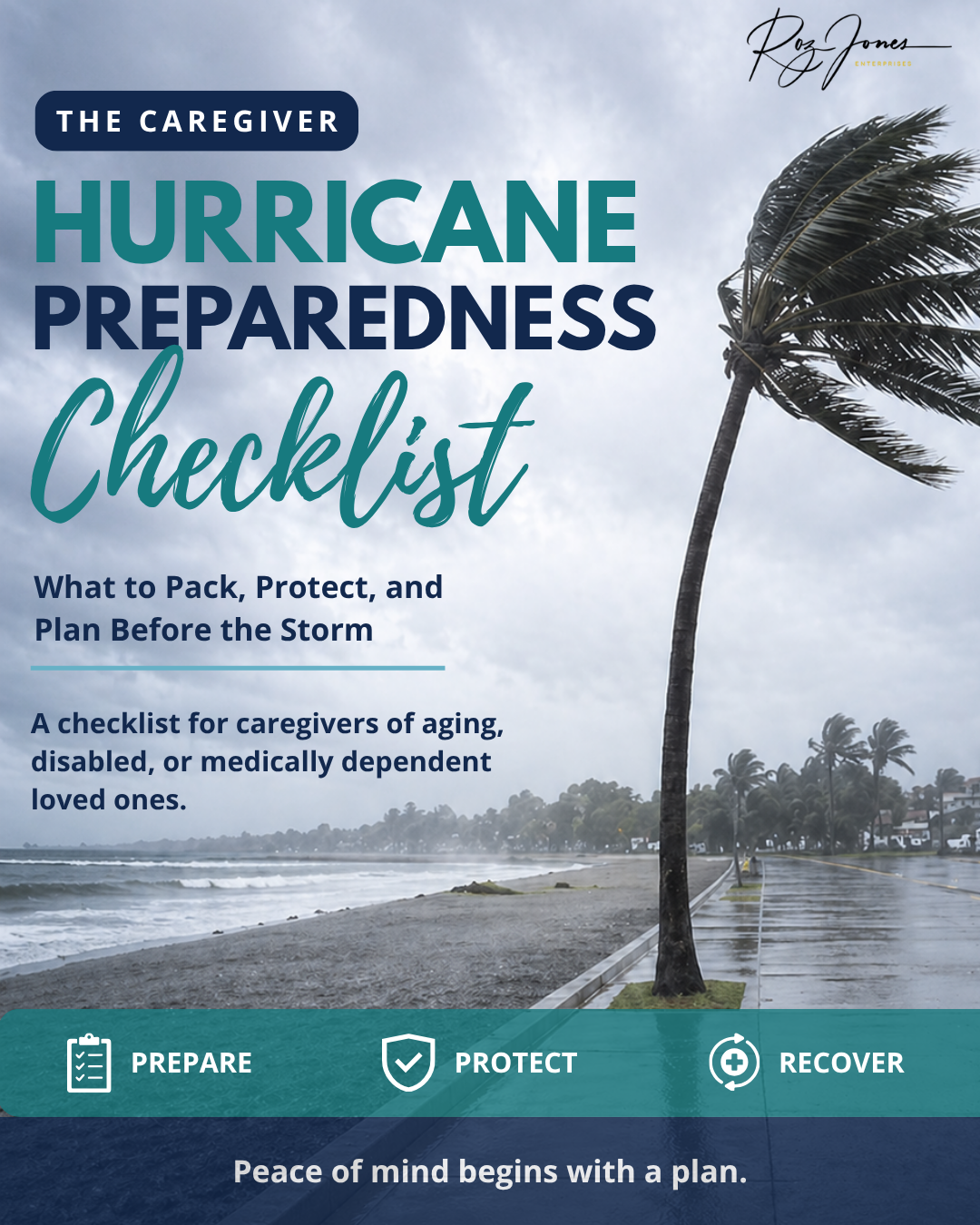
Preventive healthcare is only one part of being prepared as a caregiver. Emergencies can interrupt medications, appointments, transportation, medical equipment, and the routines your aging loved one depends on. The Caregiver Hurricane Preparedness Checklist can help you organize important information, supplies, medications, and caregiving details before severe weather creates another layer of stress.
Subscribe to The Caregiver Cafe Weekly Newsletter!

1. YOU ARE NOT ALONE: The problems you face as a caregiver are experienced by other caregivers. Knowing that you’re not alone can be comforting.
2. Tools and Resources: Find caregiver stress management tools and gain perspective from other caregiver’s experiences.
3. LEARN TO: Ask for help, accept help when it is offered, and acknowledge yourself on this caregiving journey. Hear from experts on how to balance caregiving responsibilities by taking care of your needs and involving others to help manage the natural stress and isolation of being a caregiver.