Caregiving Needs Better Systems

By Roz Jones

Most caregivers are not dealing with one distraction at a time. 

They are answering calls between meetings, tracking medications while making dinner, trying to remember appointment details, responding to family members, checking in on an aging loved one, and still attempting to hold together the rest of their own lives. Caregiving today often happens in the middle of everything else, which is exactly why so many caregivers feel mentally overloaded before the day is even over.

Technology cannot remove the emotional weight of caregiving. It cannot replace presence, patience, or support. But it can help reduce some of the clutter, create more structure, and make daily caregiving responsibilities feel a little more manageable.

Technology Is Not the Answer to Everything

Letโ€™s start there.

Technology is a tool, not a cure-all.

It cannot make hard decisions for you. It cannot solve grief, family tension, or the stress of watching someone you love need more help than they used to. And not every app, device, or system will work for every family.

But the right tools can reduce friction.

They can help you remember what needs to happen.
They can make communication easier.
They can support your aging loved oneโ€™s safety and independence.
They can help you stop carrying every detail in your head.

The Best Caregiving Tech Is Usually Simple

A few years ago, a blog like this might have focused mostly on listing caregiver apps. But caregiving has changed, and technology changes fast too. The better question now is not, โ€œWhat app should I download?โ€ It is, โ€œWhat systems will actually make this easier?โ€

Most caregivers do not need more digital clutter. They need tools that reduce confusion and help them stay organized in real life.

Technology Tools That Can Lighten the Load

Not every caregiver needs a dozen new apps. In most cases, a few simple tools can make daily life feel more manageable. The goal is not to add more noise. It is to reduce the mental clutter, missed details, and constant back-and-forth that caregiving can create.

  • Shared calendar tools
    • One of the biggest sources of caregiver stress is trying to remember everything. Appointments. Medication refill dates. Transportation plans. Follow-up calls. Family updates. It adds up quickly.
    • A shared digital calendar can help keep those details in one place. This can be especially useful when more than one family member is involved in care, even if one person is still managing most of it.
  • Medication reminder apps
    • Medication management can become one of the most stressful parts of caregiving, especially when prescriptions change, refill timing gets complicated, or your loved one is managing multiple medications at once.
    • Medication reminder tools can help with alarms, refill tracking, and keeping an updated list of prescriptions. The Family Caregiver Alliance notes that digital medication tools can support pill identification, scheduling, and reminder systems, and AARP has highlighted Medisafe (Iphone /Android) as one current free option caregivers use for medication tracking.
  • Care coordination apps
    • Some caregivers need one central place to organize tasks, updates, and support from others. AARP has highlighted tools such as CaringBridge for updates and support, and Caring Village for coordinating tasks, roles, and communication among a care team. These kinds of tools can be helpful when several people want to support your loved one but communication is scattered or inconsistent.
  • Voice assistants and smart speakers
    • Voice assistants can be useful for reminders, hands-free calls, medication prompts, music, or simple daily routines. AARP notes that smart home technology can help older adults stay independent longer and can give caregivers oversight without feeling overly intrusive. For some families, something as simple as a spoken reminder can reduce daily stress in a meaningful way.
  • Smart home safety tools
    • Depending on your loved oneโ€™s needs, tools like video doorbells, motion sensors, smart lights, smart locks, fall alerts, and medical alert systems may help support safety at home. AARP recommends these kinds of tools as part of aging in place support and notes they can make daily life easier for both older adults and caregivers. Not every household needs all of this. Sometimes one or two simple tools can make a meaningful difference.
  • Telehealth and patient portals
    • For many families, healthcare communication looks different now than it did a few years ago. Telehealth can be helpful for routine follow-ups, mental health support, medication conversations, and appointments that do not require travel. Patient portals can also make it easier to review test results, request refills, track provider messages, and keep appointment information in one place. Caring.com lists virtual medicine and health tracking among the most useful tech categories for caregivers. Even if your aging loved one is not managing these systems independently, you may still be able to use them to reduce back-and-forth and stay more organized yourself.
  • Group messaging or shared notes
    • Sometimes the most helpful tool is not a caregiving app at all. A shared notes app, family group text, or simple digital checklist can reduce repetition and make it easier to keep everyone informed without having to explain the same thing over and over again. CaringBridge also notes that task-management tools for scheduling, medication reminders, and organization can be valuable for family caregivers.
  • Budget and bill-tracking tools
    • When caregiving includes helping with expenses, subscriptions, or household bills, digital budgeting tools can make that easier to monitor. AARP has highlighted tools such as Monarch Money, Quicken Simplifi, Rocket Money, and YNAB for tracking spending and spotting unusual transactions.This can be especially helpful when you are helping manage someone elseโ€™s household while trying to keep up with your own.
  • Use what already exists on your phone
    • Sometimes caregivers do not need another app. AARP notes that many built-in smartphone features can improve accessibility, reminders, and ease of use. In some families, the best tool may simply be using alarms, shared reminders, notes, and contact shortcuts more intentionally.

Support does not have to be fancy to be effective.

Not Every Tool Will Work for Every Family

It is important to stay grounded here.

A tool is only helpful if it is accessible, affordable, understandable, and usable in your actual daily life.

Sometimes the right support is digital.
Sometimes it is a paper planner and one reliable reminder system.
Sometimes it is keeping things simple enough that everyone involved can actually follow through.

Support does not have to be trendy to be effective.

Start with the Problem, Not the Product

Before downloading another app or buying another device, pause and ask yourself:

What is the actual problem we are trying to solve?

Is it missed medications?
Difficulty keeping up with appointments?
Trouble updating family members?
Safety concerns at home?
Losing track of paperwork?
Feeling like every task is living in your head?

When you start with the problem, you are much more likely to choose a tool that truly helps instead of adding more clutter.

Technology Should Lighten the Load

Caregiving can already feel like too many tabs open in your mind at once.

The best technology should not create more work. It should help you close a few tabs.

It should help you feel more organized.
More supported.
Less scattered.
Less alone in managing all the moving pieces.

That is the real value.

Not doing more.
Doing what matters with more clarity.If this blog spoke to where you are right now, be sure to read the earlier blog, โ€œTechnology as a Tool for Caregivers to Manage Daily Distractions,โ€ for a deeper look at how everyday interruptions can wear caregivers down over time. It is a helpful companion to this conversation and offers more context for why support systems matter so much.

When You Can’t Do it All Give Roz a Call!

Roz Jones is a dedicated caretaker turned CEO with over a decade of experience in helping families care for and make decisions for loved ones and their legacies.Roz is a compassionate, innovative healthcare industry leader.

If your family is managing too many moving parts without enough structure, book a family care planning session with Roz Jones for support in creating a clearer, more manageable plan.

Purchase the Caregiving & Advance Health Directives Checklist!

Roz Jones Enterprises Caregiving & Advance Health Directives Checklist.

If you are ready to get organized around important care decisions and next steps, purchase the Advanced Directives Checklist to help your family move forward with more clarity and confidence.

Subscribe to The Caregiver Cafe Weekly Newsletter!

Caregiving can be a roller coaster of ups and downs. The information that you will receive from The Caregiver Cafe Weekly Specials Newsletter will support you as a caregiver. Remember…

1. YOU ARE NOT ALONE: The problems you face as a caregiver are experienced by other caregivers. Knowing that you’re not alone can be comforting. 

2. Tools and Resources:  Find caregiver stress management tools and gain perspective from other caregiver’s experiences.

3. LEARN TO: Ask for help, accept help when it is offered, and acknowledge yourself on this caregiving journey. Hear from experts on how to balance caregiving responsibilities by taking care of your needs and involving others to help manage the natural stress and isolation of being a caregiver. 

How to Shut Down an Aging Loved One’s Social Media Account After They Pass

By Roz Jones

Losing a loved one is never easy, and in today’s digital age, there’s a new layer of complexity to deal withโ€”managing their social media accounts. As caregivers for aging loved ones, this responsibility might fall on your shoulders. In this blog, we’ll guide you through the process of respectfully and efficiently shutting down social media accounts on major platforms like Facebook, Instagram, Twitter, and LinkedIn after your loved one has passed.

Facebook

Step 1: Access their account. If you know their login details, log in to their Facebook account.

Step 2: Click the down arrow in the top right corner and select “Settings & Privacy.”

Step 3: Under “Settings,” choose “Memorialization Settings.”

Step 4: Click “Request memorialization of the account” and follow the on-screen instructions. You may need to provide proof of their passing.

Step 5: Facebook will review your request and, once approved, the account will be memorialized. Friends and family can still view and interact with existing content, but new friend requests will be disabled.

Instagram

Step 1: Log in to your loved one’s Instagram account if you have access.

Step 2: Go to their profile.

Step 3: Click the three horizontal lines in the top right corner, then choose “Settings.”

Step 4: Scroll down and select “Privacy.”

Step 5: Under “Account,” choose “Request Verification.”

Step 6: Follow the on-screen instructions, including providing proof of their passing.

Step 7: Instagram will review your request and may memorialize the account or remove it, depending on their policies.

Twitter

Step 1: Log in to your loved one’s Twitter account if you have access.

Step 2: Click the three horizontal lines in the top left corner and select “Settings and Privacy.”

Step 3: Choose “Account.”

Step 4: Scroll down and select “Deactivate your account.”

Step 5: Follow the on-screen instructions to deactivate the account.

Note: If you don’t have access to the account, you can contact Twitter’s support and request an account deactivation on behalf of a deceased family member.

LinkedIn

Step 1: Log in to your loved one’s LinkedIn account if you have access.

Step 2: Click “Me” in the top right corner.

Step 3: Choose “Settings & Privacy.”

Step 4: Scroll down and select “Account preferences.”

Step 5: Under “Closing your LinkedIn account,” click “Closing your account.”

Step 6: Follow the on-screen instructions to close the account.

Note: If you don’t have access, you can contact LinkedIn’s support and request account closure for a deceased member.

Managing a loved one’s digital presence after their passing is a delicate but necessary task. It’s important to respect their online legacy and privacy. Each platform has its policies for handling accounts of deceased users, and following their procedures can help ensure a smooth process. Remember to gather any necessary documentation, such as a death certificate, before initiating the account closure process. While it might be a challenging process, it’s an essential part of saying goodbye in the digital age.

Stay Ahead of the Storm: Download Your Free Expert Storm Guide Now!

Photo by ALTEREDSNAPS on Pexels.com

As we know, June โ€“ November is Hurricane Season. As a family caregiver, there are many ways to prepare your loved ones for it. Early preparation helps reduce opportunities for stress and anxiety as storms approach.

One of the best ways to prepare is allowing your loved on to assist in packing their travel bag, checking their contact list and ensuring there are adequate emergency supplies.

Participationโ€ฆ not isolationโ€ฆ go a long way when preparing for major storms. This Seniors Storm Guide gives essential information to refer to again and again!


Stay Connected!

Your Roadmap to Securing Your Digital Legacy

By Roz Jones

In this blog, we are discussing the world of safeguarding and preserving the digital footprints of your aging loved ones. Think of it as a roadmap for ensuring that  their online presence remains accessible and meaningful long after theyโ€™re no longer with us. So letโ€™s explore how you can be the guardian of their digital legacy and create a seamless transition for their virtual lives.

Why Digital Legacy Matters:

In our fast-paced digital world, our online presence is a reflection of who we are. It’s where we store precious memories, communicate with loved ones, and even manage essential documents. But what happens to all of this when your aging loved ones can no longer manage it themselves? That’s where digital legacy planning comes into play.

Creating a Digital Estate Plan:

  • Inventory Digital Assets: Start by identifying and documenting all digital assets โ€“ from email and social media accounts to cloud storage and online subscriptions. This is your roadmap to your loved one’s online presence.
  • Appoint a Digital Executor: Just like a will designates an executor for tangible assets, a digital estate plan should appoint someone to manage digital assets. This can be you, another family member, or a trusted friend.
  • Organize Passwords and Access: Your loved one may have numerous accounts with different passwords. Ensure that all passwords and access information are securely stored and can be retrieved when needed.
  • Specify Wishes: Your loved one’s digital legacy may include personal messages, photos, and more. Clearly outline their wishes for these assets โ€“ whether they should be preserved, shared, or deleted.
  • Update Privacy Settings: Be aware of the privacy settings on social media and other accounts. Decide how you want these to be managed after your loved one’s passing.
  • Regularly Review and Update: Just as life evolves, digital assets change over time. Regularly review and update the digital estate plan to reflect these changes.

Preserving Memories:

One beautiful aspect of digital legacy planning is the preservation of memories. From heartfelt emails and personal blogs to treasured photos, these digital artifacts can be a source of comfort and connection for years to come. By protecting them, you ensure that your loved one’s presence continues to be felt, even after they’re no longer with us.

Why It Matters for Caregivers:

As a caregiver, you’re not just responsible for the well-being of your aging loved one; you’re also their guardian of legacy. Your role extends beyond the physical realm into the digital one, and preserving this aspect of their life is a profound act of love and respect.

Planning for your loved one’s digital legacy is an act of foresight and care. It ensures that their online presence is treated with the same respect and attention as their physical possessions. Let’s make sure their cherished memories continue to shine brightly for generations to come. Digital legacy planning is a way to honor their lives and the mark they’ve left on this world. So, caregivers, let’s embark on this meaningful journey together and secure the digital future of those we hold dear.

Stay Ahead of the Storm: Download Your Free Expert Storm Guide Now!

Photo by ALTEREDSNAPS on Pexels.com

As we know, June – November is Hurricane Season. As a family caregiver, there are many ways to prepare your loved ones for it. Early preparation helps reduce opportunities for stress and anxiety as storms approach.

One of the best ways to prepare is allowing your loved on to assist in packing their travel bag, checking their contact list and ensuring there are adequate emergency supplies.

Participation… not isolation… go a long way when preparing for major storms. This Seniors Storm Guide gives essential information to refer to again and again!


Shop The Caregiver Cafe E-Commerce Store!

We founded The Caregiver Cafe Shopify Store with one simple goal: to help you experiment with your passion while at the same time providing amazing prices. We were tired of cookie-cutter stores with lackluster selections, and boring gifts. Instead of offering a huge unoriginal collection, we carefully curate just a few unique pieces perfectly suited for people the taste buds like you.

We focus on items that get you excited about shopping again, as we believe buying online should always be fun!


The Rising Cost of Senior Care

As our population ages, the financial burden of senior care is becoming increasingly challenging.ย 

Join us as we delve into the complexities of this issue. Don’t miss this important episode!

Subscribe to The Caregiver Cafe Weekly Newsletter!

Caregiving can be a roller coaster of ups and downs. The information that you will receive from The Caregiver Cafe Weekly Specials Newsletter will support you as a caregiver. Remember…

1. YOU ARE NOT ALONE: The problems you face as a caregiver are experienced by other caregivers. Knowing that you’re not alone can be comforting. 

2. Tools and Resources:  Find caregiver stress management tools and gain perspective from other caregiver’s experiences.

3. LEARN TO: Ask for help, accept help when it is offered, and acknowledge yourself on this caregiving journey. Hear from experts on how to balance caregiving responsibilities by taking care of your needs and involving others to help manage the natural stress and isolation of being a caregiver. 
Pros of Installing Security Cameras in the Home for Your Aging Loved One

By Roz Jones

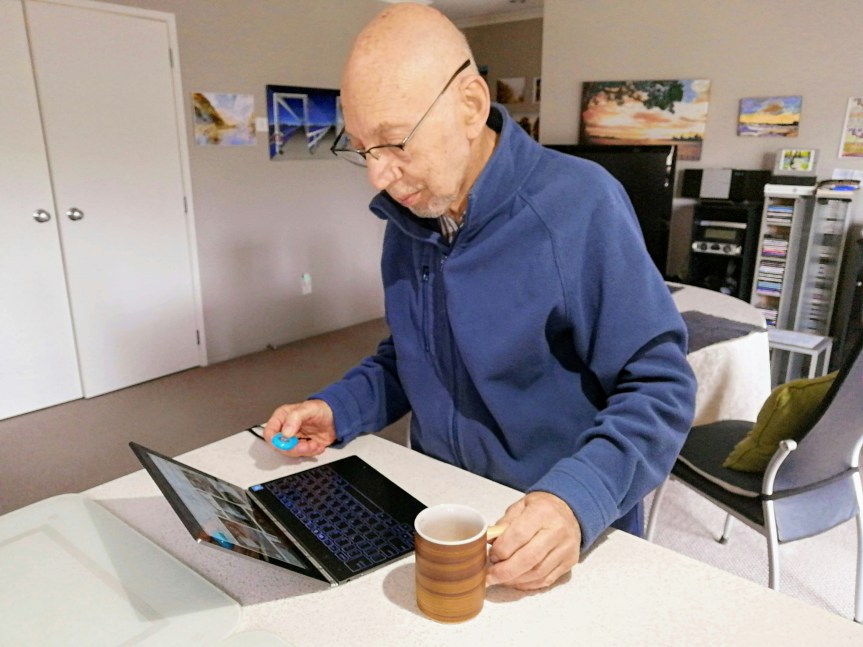
As your aging loved one gets older, you may start to worry about their safety and security in their home. One way to alleviate some of these worries is by installing security cameras in their home. Here are some of the pros of having security cameras installed in the home for your aging loved one:

  1. Increased Safety: Security cameras can provide an added level of safety to your loved one’s home. With security cameras, you can deter potential burglars and intruders from targeting your loved one’s home. If there is any suspicious activity, security cameras can provide early warning, allowing your loved one to take necessary precautions.
  1. Monitoring Caregivers: If your aging loved one receives care from a caregiver, security cameras can help monitor the quality of care they receive. With security cameras, you can monitor the caregiver’s actions and ensure that they provide adequate care for your loved one. This can be particularly useful if you have concerns about the caregiver’s reliability or if your loved one requires a high level of care.
  1. Remote Monitoring: Security cameras can be accessed remotely, allowing you to keep an eye on your loved one’s safety and well-being even when you’re away from home. With remote access, you can check in on your loved one’s activities and make sure they are safe and secure.
  1. Evidence Collection: In case of a break-in or other criminal activity, security cameras can provide valuable evidence to the authorities. With clear footage, the police can identify the perpetrator and prosecute them accordingly.
  1. Peace of Mind: Having security cameras installed in the home can give you peace of mind knowing that your loved one is safe and secure. You can check on them at any time, even when you’re away, and know that they are being monitored for any potential safety hazards.

Overall, installing security cameras in the home of your aging loved one can provide several benefits, including increased safety, remote monitoring, and evidence collection. With these benefits, you can have peace of mind knowing that your loved one is safe and secure.


Unlock and Shape Your Home Environment with this Worksheet

Shape your home environment with this worksheet from Mental Health America! Learn how you can fall in love with your home to protect your mental health! Download today!


Shop The Caregiver Cafe E-Commerce Store!

We founded The Caregiver Cafe Shopify Store with one simple goal: to help you experiment with your passion while at the same time providing amazing prices. We were tired of cookie-cutter stores with lackluster selections, and boring gifts. Instead of offering a huge unoriginal collection, we carefully curate just a few unique pieces perfectly suited for people the taste buds like you.

We focus on items that get you excited about shopping again, as we believe buying online should always be fun!


Listen to the latest Caregiver Cafe Podcast!

Managing the responsibilities of caregiving can be overwhelming, especially if you have other commitments such as work and family.

Transitioning your parents to a more supportive environment, like an assisted living facility or your home can help alleviate some of the caregiving burden and ensure they receive the care they need.

In this episode, we get down to how to handle such a major shift in both you and your parents’ life.

Press play to listen in.

Subscribe to The Caregiver Cafe Weekly Newsletter!

Caregiving can be a roller coaster of ups and downs. The information that you will receive from The Caregiver Cafe Weekly Specials Newsletter will support you as a caregiver. Remember…

1. YOU ARE NOT ALONE: The problems you face as a caregiver are experienced by other caregivers. Knowing that you’re not alone can be comforting. 

2. Tools and Resources:  Find caregiver stress management tools and gain perspective from other caregiver’s experiences.

3. LEARN TO: Ask for help, accept help when it is offered, and acknowledge yourself on this caregiving journey. Hear from experts on how to balance caregiving responsibilities by taking care of your needs and involving others to help manage the natural stress and isolation of being a caregiver. 

Tech-Essentials: Must-Have Technology for Aging Loved Ones

By Roz Jones

As our loved ones age, they may need additional support and assistance to maintain their independence and stay connected with family and friends. Fortunately, advancements in technology have made it easier than ever to provide that support and help our aging loved ones stay connected. Here are some examples of technology an aging loved one may need as they age:

  1. Smartphones: Smartphones are incredibly versatile tools that can help seniors stay connected with family and friends, access important information, and even monitor their health. Many smartphones now offer larger screens and easy-to-use interfaces that are specifically designed for seniors.
  1. Tablets: Tablets are another great option for seniors who want to stay connected and informed. They offer larger screens than smartphones, making it easier to read and watch videos, and can be used for activities like video chatting with family and friends.
  1. Wearables: Wearables like smartwatches and fitness trackers can help seniors monitor their health and stay active. These devices can track steps taken, heart rate, sleep patterns, and more, providing seniors with valuable information about their health.
  1. Home assistants: Smart home assistants like Amazon Alexa or Google Home can be a great asset for seniors who may have difficulty with mobility or performing certain tasks. These devices can be used to control lights, adjust the thermostat, and even make phone calls or send messages.
  1. Medication reminders: As seniors age, they may need to take more medications to manage their health. Medication reminder apps or devices can help ensure that they take the correct dosage at the right time.
  1. Emergency response systems: Emergency response systems like medical alert bracelets or necklaces can be lifesaving for seniors who may need help in an emergency. These devices can be used to call for help at the touch of a button.
  1. Video conferencing tools: Video conferencing tools like Zoom or Skype can be a great way for seniors to stay connected with family and friends who may live far away. These tools can help reduce feelings of isolation and loneliness.

As our loved ones age, it’s important to remember that technology can be a powerful tool for helping them stay independent, connected, and informed. By providing them with the right tools and support, we can help ensure that they can continue to enjoy a high quality of life as they age.


Discover the Power of Natural for Your Mental Health!

Unlock the positive impact of nature on your mental well-being with Mental Health of America’s fact sheet.

Learn how spending time in green and blue spaces can lower stress, boost mood, and improve focus. Download now to embrace the benefits of nature in your everyday life!


Shop The Caregiver Cafe E-Commerce Store!

We founded The Caregiver Cafe Shopify Store with one simple goal: to help you experiment with your passion while at the same time providing amazing prices. We were tired of cookie-cutter stores with lackluster selections, and boring gifts. Instead of offering a huge unoriginal collection, we carefully curate just a few unique pieces perfectly suited for people the taste buds like you.

We focus on items that get you excited about shopping again, as we believe buying online should always be fun!


Join us at The Caregiver Cafe Podcast as we delve into the emotional journey of moving your loved ones out of their homes. Discover expert advice on approaching the situation with empathy, involving your loved ones in the decision-making process, and finding the right balance between their desires and safety. Tune in to this episode to gain valuable insights and make the transition smoother for your parents or loved ones!

When considering moving your parents or loved ones out of their homes, it’s important to approach the situation with empathy and understanding.

Communicate openly, involve them in the decision-making process, and explore alternatives that balance their desires with their safety and well-being.

Due to the emotional attachment, your parents or loved ones have towards their home, this move can affect them more than you expect.

In this episode, I share how one can make it easy for their parents/loved ones when moving them out of their home.

Press play to listen in.

Subscribe to The Caregiver Cafe Weekly Newsletter!

Caregiving can be a roller coaster of ups and downs. The information that you will receive from The Caregiver Cafe Weekly Specials Newsletter will support you as a caregiver. Remember…

1. YOU ARE NOT ALONE: The problems you face as a caregiver are experienced by other caregivers. Knowing that you’re not alone can be comforting. 

2. Tools and Resources:  Find caregiver stress management tools and gain perspective from other caregiver’s experiences.

3. LEARN TO: Ask for help, accept help when it is offered, and acknowledge yourself on this caregiving journey. Hear from experts on how to balance caregiving responsibilities by taking care of your needs and involving others to help manage the natural stress and isolation of being a caregiver.